Adapts to your adapter
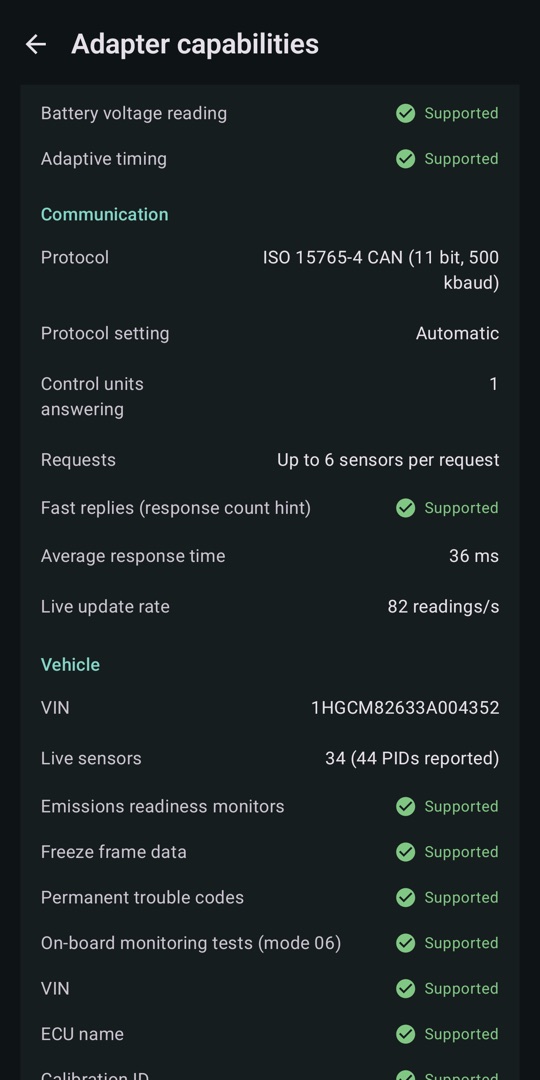
On the first connection OBDash tests your adapter and car, then uses the fastest settings that work and hides what your car doesn't support.
Car diagnostics · Android
Plug in an OBD2 adapter and OBDash shows what your engine is doing: live gauges you arrange yourself, trouble codes explained in plain English, and the same dashboard on Android Auto.
Trouble codes
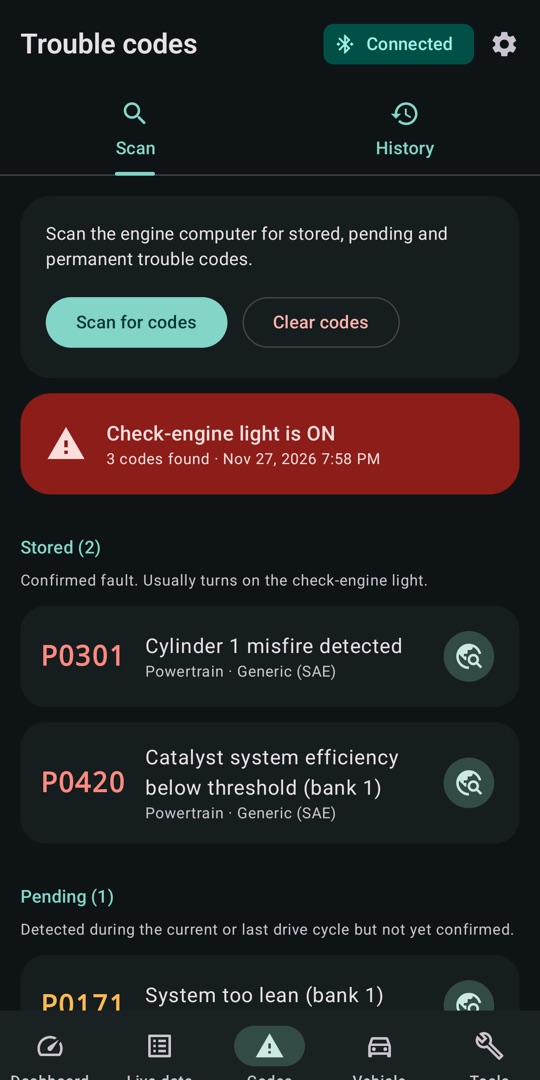
Scan for stored, pending and permanent codes, each with a plain-English description. Tap the search button on any code to read its causes and fixes online.
Your dashboard
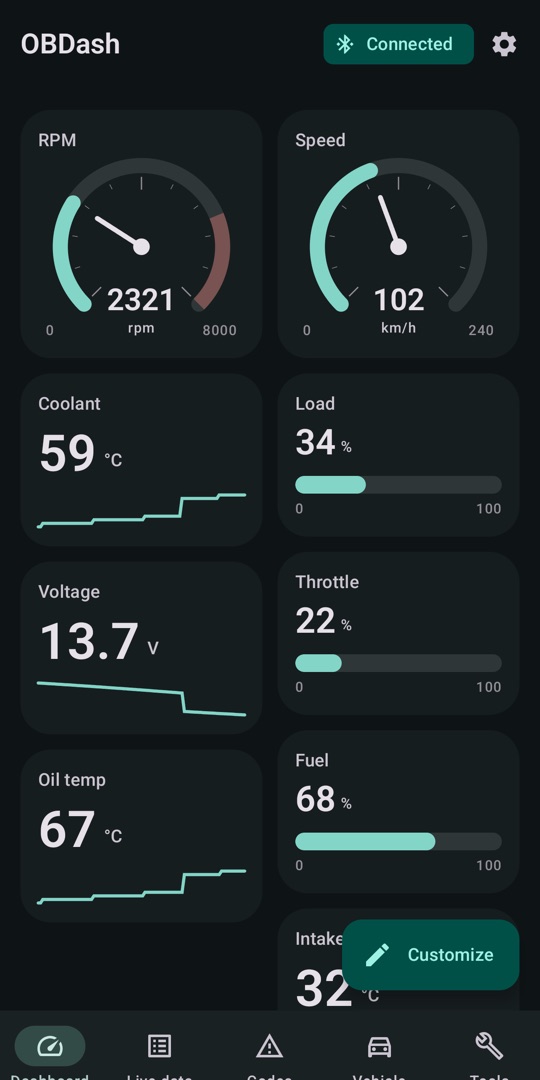
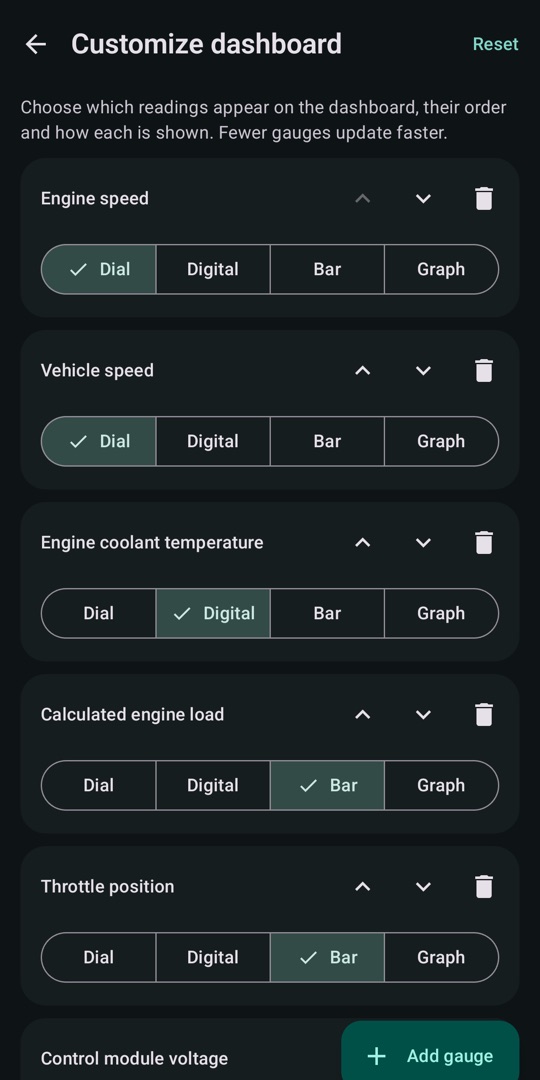
Choose which readings to show, put them in any order and pick a dial, digital readout, bar or graph for each. Warnings turn amber and red before things get serious.
Everything an OBD2 scanner can do
On the first connection OBDash tests your adapter and car, then uses the fastest settings that work and hides what your car doesn't support.
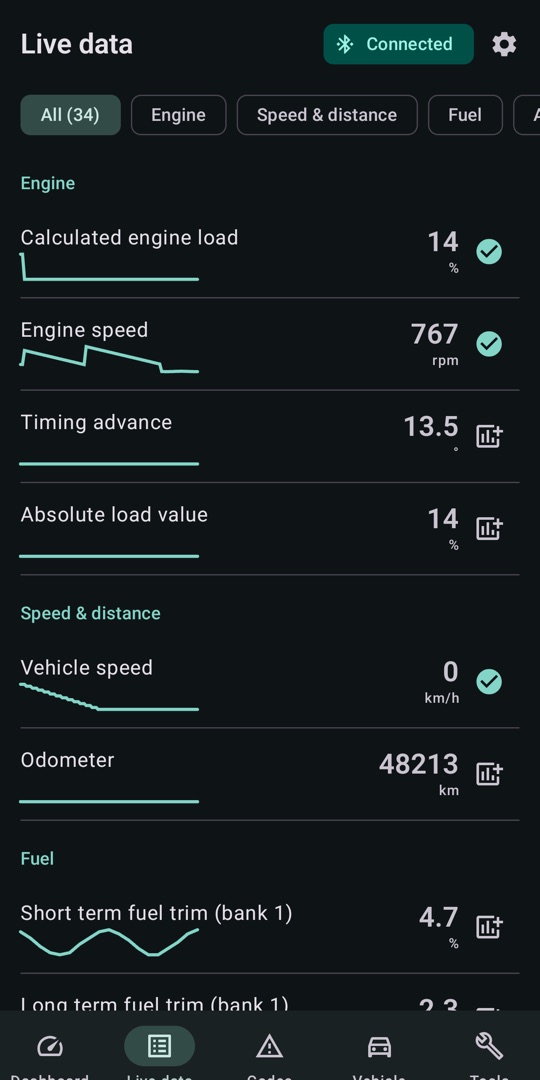
Every sensor your car reports, grouped and graphed. Add any of them to the dashboard with one tap.
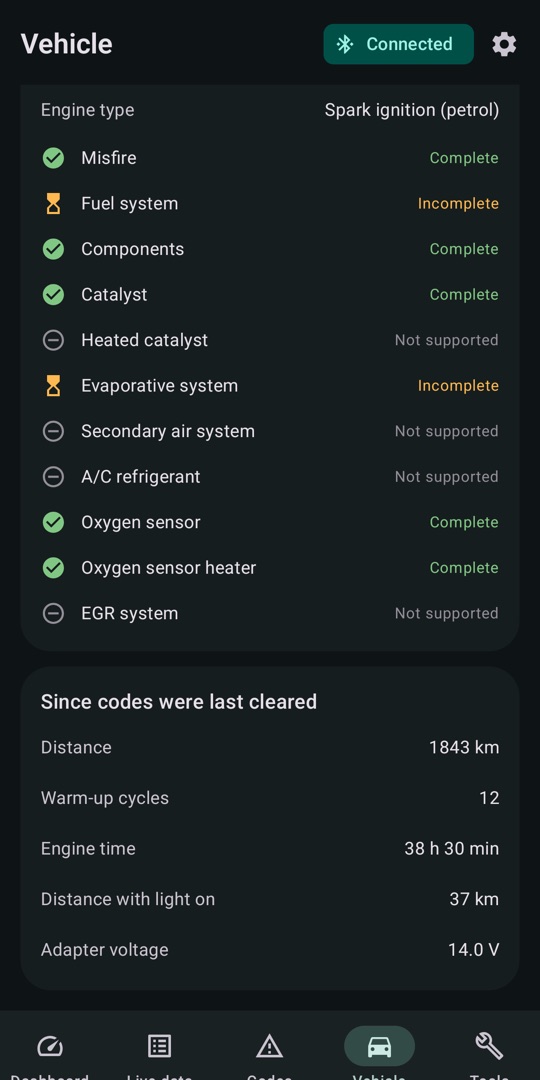
See which monitors are complete before an inspection, plus distance and warm-ups since codes were cleared.
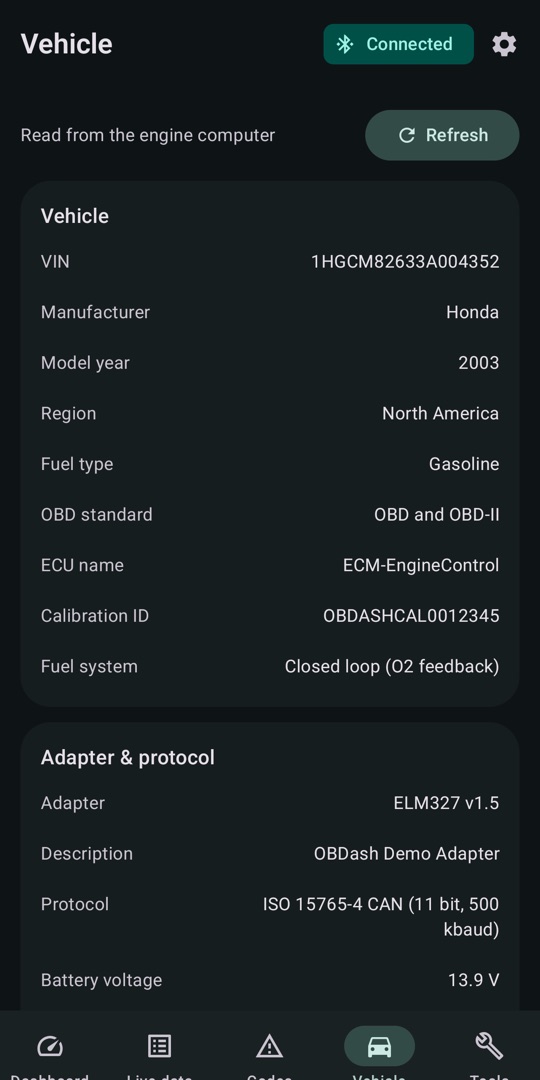
VIN with maker and model year, engine computer name, calibration ID, fuel type and protocol.
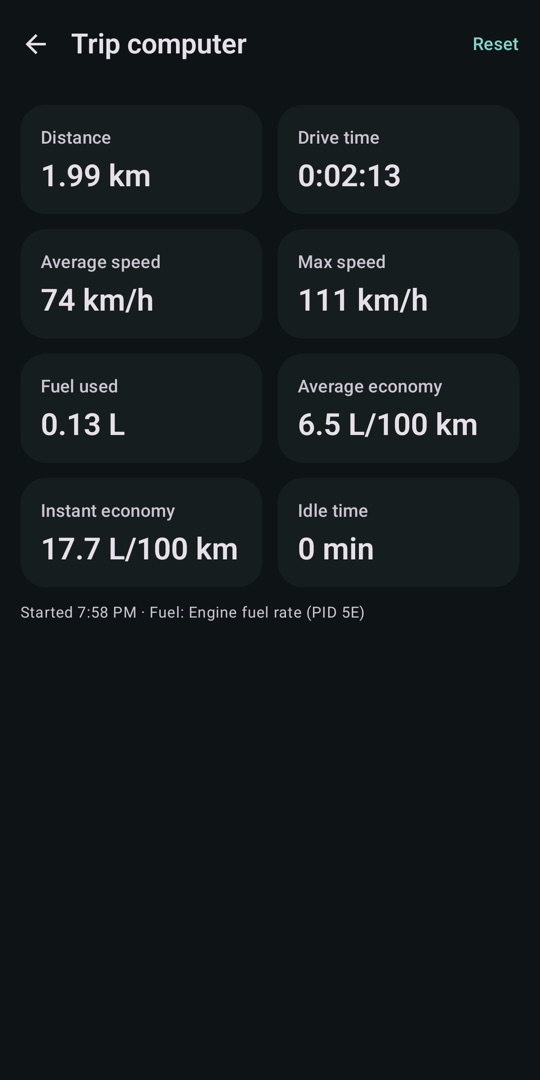
A trip computer with fuel economy, a 0–100 km/h timer, and CSV recordings you can open in a spreadsheet.
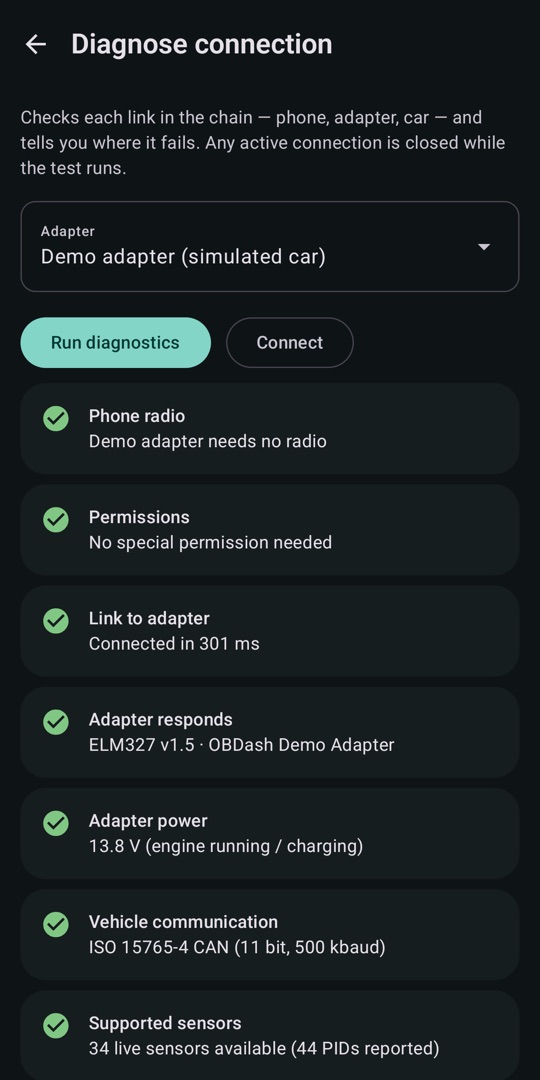
When the adapter won't connect, a step-by-step check tells you which link failed and how to fix it.
Android Auto
Connect your phone to Android Auto and your dashboard gauges appear on the car's display, with trouble codes one tap away. Built with Android Auto's driver-safe layouts.
Adapters
Any ELM327-compatible OBD2 adapter: genuine ELM327, OBDLink and other STN-based adapters, and the low-cost clones.
Pair the adapter in Android's Bluetooth settings once. OBDash finds it and connects by itself after that.
No pairing needed: scan in the app and tap your adapter to connect.
Join the adapter's Wi‑Fi network and connect. OBDash finds the adapter's address if it isn't the usual one.
Adapters that only work with their own app (for example BlueDriver or FIXD) use a closed protocol and won't work with OBDash. No adapter yet? Try the built-in demo with a simulated car.
Screenshots
Questions
Most petrol cars sold in the US since 1996 and in Europe since 2001, and most diesels since 2004, have a standard OBD2 port, usually under the dashboard near the steering wheel. Many cars sold elsewhere have one too. Fully electric cars generally don't report standard OBD2 engine data.
Any ELM327-compatible Bluetooth, Bluetooth LE or Wi‑Fi adapter works. Better adapters (OBDLink, Vgate, Veepeak) answer faster, so your gauges update more often; cheap "v2.1" clones work for most things but can be slow.
No. Clearing turns off the check-engine light and erases the stored codes, but if the fault is still there the light comes back. It also resets the emissions readiness monitors. Clear codes after a repair, not instead of one.
No. OBDash talks only to your adapter. The internet is used only when you tap a code's search button, which opens the details in your browser.
Connect your phone to Android Auto as usual. OBDash appears in the app launcher on the car's screen and shows your dashboard gauges, with trouble codes one tap away. The phone keeps the adapter connection.
An iPhone version with CarPlay is planned. iPhones work only with Bluetooth LE and Wi‑Fi adapters, not classic Bluetooth ones.
Private by design
No account, no ads, no analytics and no tracking. OBDash has no servers: readings, codes and history are stored only on your device, and nothing is shared unless you share it.
Read the privacy policy
OBDash is in testing now. Want to try it early, or tell me which adapter you use? Send me a message.
Ideas, bugs or an adapter that doesn't work? Send feedback · WhatsApp